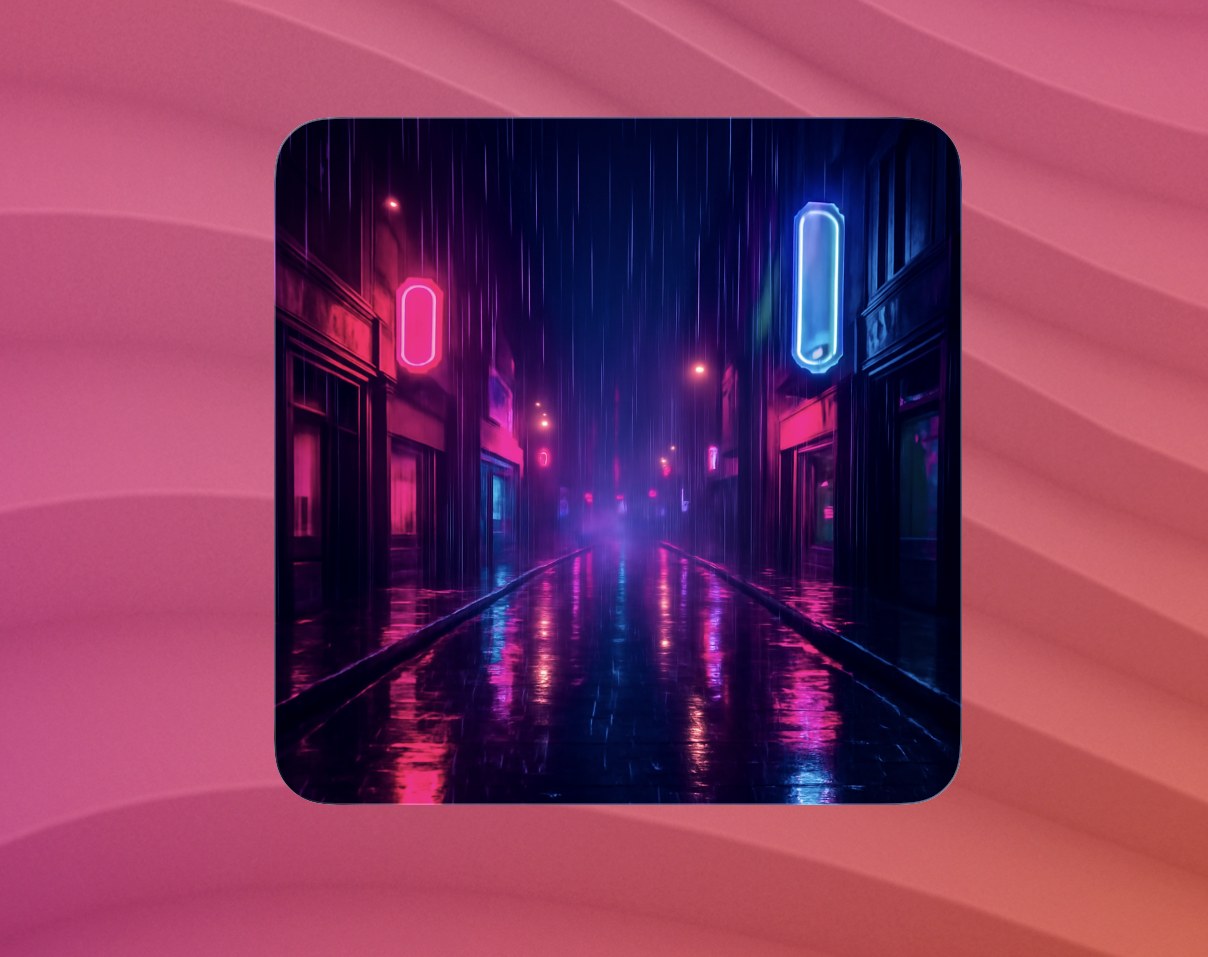
OpenAI Image Generator widget screenshot

Script

OpenAI Image Generator

by Brett Terpstra

Generate a fresh image with the OpenAI Image API (GPT Image) and show it in a Terminal Widget via --image.

Each run is a paid API call. Prefer long intervals (hours or days), not every few minutes.

Requirements

1. Create an OpenAI API key

  1. Sign in at platform.openai.com.
  2. Open API keysCreate new secret key.
  3. Copy the key (sk-…). Store it only in your local config file.
  4. Confirm billing is enabled and that your org can use GPT Image (gpt-image-1-mini, gpt-image-1, gpt-image-2, etc.).

2. Create openai.env

mkdir -p ~/.config/terminal-widget
chmod 700 ~/.config/terminal-widget

Create ~/.config/terminal-widget/openai.env:

# Required
export OPENAI_API_KEY='sk-your_key_here'

# Optional defaults when the script is run with no / partial arguments
# export OPENAI_IMAGE_TARGET='openai-image'
# export OPENAI_IMAGE_PROMPT='neon rain on a quiet street'  # theme text, or omit for surprise default
# export OPENAI_IMAGE_SIZE='square'     # square | landscape | portrait | 1024x1024 | …
# export OPENAI_IMAGE_MODEL='gpt-image-1-mini'  # or gpt-image-1 / gpt-image-2
# export OPENAI_IMAGE_QUALITY='low'     # low | medium | high | auto
# export OPENAI_IMAGE_PROMPT_MODE='theme'  # theme (wrap) | raw (use prompt as-is)
# export OPENAI_IMAGE_PROMPT_PREFIX='A striking wallpaper-style image of'
# export OPENAI_IMAGE_DEFAULT_PROMPT='A surprising, beautiful wallpaper-style scene…'

# Optional: Shortcut name for tap-to-refresh (recommended; run-command is sandboxed)
# export OPENAI_TAP_SHORTCUT='OpenAI Image Refresh'

# Optional: path to the CLI if it is not on PATH
# export TERMINAL_WIDGET='/opt/homebrew/bin/terminal-widget'

Lock it down:

chmod 600 ~/.config/terminal-widget/openai.env

Alternate config path: set OPENAI_ENV=/path/to/your.env before running.

3. Add a widget target

Target ID Purpose

| openai-image | Default when no CLI args / env overrides are set | Use distinct targets per theme (e.g. openai-neon, openai-forest) if you run multiple LaunchAgents.

4. Install and run

Save the script as ~/bin/openai-image.sh (or ~/Scripts/…), then:

chmod +x ~/bin/openai-image.sh
~/bin/openai-image.sh
# theme + size:
~/bin/openai-image.sh openai-neon "neon rain on a quiet street" landscape
# surprise default prompt:
~/bin/openai-image.sh openai-image - square

Add a Desktop widget and choose that target. Generated PNGs are cached under ~/.cache/terminal-widget/openai-image-<target>.png.

5. Schedule updates

Enable the launchd section on this recipe (suggested: 6 hours or longer). The auto-generated agent runs the script with no arguments, using openai.env defaults.

Customize the LaunchAgent (target + prompt)

Edit ProgramArguments after creating the plist:

<key>ProgramArguments</key>
<array>
  <string>/bin/bash</string>
  <string>/Users/YOU/bin/openai-image.sh</string>
  <string>openai-neon</string>
  <string>neon rain on a quiet street</string>
  <string>landscape</string>
</array>
Argument Meaning
1 — target Terminal Widget target name
2 — prompt Theme text, or - for the default/surprise prompt
3 — size square, landscape, portrait, or WxH

Multiple widgets

Duplicate the plist (unique Label + logs), change the three args, create matching targets, bootstrap each job. Watch your OpenAI usage — N widgets × interval = N billable images.

Tap to refresh

App Sandbox blocks run-command from running Homebrew/~/Scripts. Use a Shortcut:

  1. Shortcuts → OpenAI Image Refresh → Run Shell Script with the same command you use manually.
  2. Set OPENAI_TAP_SHORTCUT='OpenAI Image Refresh' in openai.env.
  3. Re-run the script once so the widget stores run-shortcut.

Environment variables reference

Variable Required Default Description
OPENAI_API_KEY Yes OpenAI secret key
OPENAI_IMAGE_TARGET No openai-image Widget target when arg 1 is omitted
OPENAI_IMAGE_PROMPT No surprise default Prompt/theme when arg 2 is - / omitted
OPENAI_IMAGE_SIZE No square Size preset or WxH
OPENAI_IMAGE_MODEL No gpt-image-1-mini Image model id
OPENAI_IMAGE_QUALITY No low low / medium / high / auto
OPENAI_IMAGE_PROMPT_MODE No theme theme wraps the subject; raw sends arg/env as the full prompt
OPENAI_TAP_SHORTCUT No Shortcut name for tap refresh
OPENAI_ENV No ~/.config/terminal-widget/openai.env Config path
TERMINAL_WIDGET No terminal-widget CLI path
WIDGET_CACHE_DIR No ~/.cache/terminal-widget Where PNGs are written

Troubleshooting

Symptom Likely cause
“OPENAI_API_KEY not set” Missing/empty openai.env
Verification / model errors Complete org API verification; try gpt-image-1-mini
Billing / quota errors Add payment method or lower quality/size/frequency
Slow updates Image gen takes several seconds; quality low is faster
Tap does nothing with run-command Expected under sandbox — use OPENAI_TAP_SHORTCUT instead

Script (openai-image.sh)

#!/usr/bin/env bash
# OpenAI GPT Image → Terminal Widget (--image).
# Config: ~/.config/terminal-widget/openai.env (see recipe).
#
# Usage:
#   openai-image.sh [TARGET] [PROMPT|-] [SIZE]
#
# SIZE: square | landscape | portrait | or WxH (e.g. 1024x1024)
# PROMPT: subject/theme, or "-" to use OPENAI_IMAGE_PROMPT / a surprise default.
#
# Duplicate a LaunchAgent and change TARGET + PROMPT for multiple widgets.
# Prefer long intervals (hours/days) — each run is a paid API call.
#
# Tap refresh: set OPENAI_TAP_SHORTCUT in openai.env (run-command is sandboxed).
set -euo pipefail

export PATH="/opt/homebrew/bin:/usr/local/bin:/usr/bin:/bin:/usr/sbin:/sbin${PATH:+:$PATH}"

OPENAI_ENV="${OPENAI_ENV:-$HOME/.config/terminal-widget/openai.env}"
if [[ -f "$OPENAI_ENV" ]]; then
	# shellcheck source=/dev/null
	source "$OPENAI_ENV"
fi

if [[ -z "${TERMINAL_WIDGET:-}" ]]; then
	if [[ -x /opt/homebrew/bin/terminal-widget ]]; then
		TW=/opt/homebrew/bin/terminal-widget
	elif [[ -x /usr/local/bin/terminal-widget ]]; then
		TW=/usr/local/bin/terminal-widget
	else
		TW=terminal-widget
	fi
else
	TW="$TERMINAL_WIDGET"
fi

TARGET="${1:-${OPENAI_IMAGE_TARGET:-openai-image}}"
PROMPT_ARG="${2:-${OPENAI_IMAGE_PROMPT:--}}"
SIZE_ARG="${3:-${OPENAI_IMAGE_SIZE:-square}}"
[[ "$PROMPT_ARG" == "-" ]] && PROMPT_ARG=""

MODEL="${OPENAI_IMAGE_MODEL:-gpt-image-1-mini}"
QUALITY="${OPENAI_IMAGE_QUALITY:-low}"
API_KEY="${OPENAI_API_KEY:-}"

case "$SIZE_ARG" in
	square | s) SIZE="1024x1024" ;;
	landscape | l) SIZE="1536x1024" ;;
	portrait | p) SIZE="1024x1536" ;;
	*) SIZE="$SIZE_ARG" ;;
esac

if [[ -n "$PROMPT_ARG" ]]; then
	if [[ "${OPENAI_IMAGE_PROMPT_MODE:-theme}" == "raw" ]]; then
		PROMPT="$PROMPT_ARG"
	else
		PREFIX="${OPENAI_IMAGE_PROMPT_PREFIX:-A striking wallpaper-style image of}"
		PROMPT="${PREFIX} ${PROMPT_ARG}, vivid but clean composition, no text or watermarks, suitable as a desktop widget background."
	fi
else
	PROMPT="${OPENAI_IMAGE_DEFAULT_PROMPT:-A surprising, beautiful wallpaper-style scene with vivid color and strong composition, no text or watermarks, suitable as a desktop widget background. Subject chosen creatively.}"
fi

widget_error() {
	local msg="$1"
	echo "OpenAI Image: $msg" >&2
	if command -v "$TW" >/dev/null 2>&1; then
		"$TW" --target "$TARGET" \
			--icon exclamationmark.triangle.fill \
			--background "#422006" \
			--foreground "#fde68a" \
			--text "OpenAI: $msg" || true
	fi
}

if [[ -z "$API_KEY" ]]; then
	widget_error "OPENAI_API_KEY not set"
	exit 1
fi

for cmd in jq curl base64; do
	if ! command -v "$cmd" >/dev/null 2>&1; then
		widget_error "$cmd required"
		exit 1
	fi
done

if ! command -v "$TW" >/dev/null 2>&1; then
	widget_error "terminal-widget not found (set TERMINAL_WIDGET)"
	exit 1
fi

CACHE_DIR="${WIDGET_CACHE_DIR:-$HOME/.cache/terminal-widget}"
mkdir -p "$CACHE_DIR"
OUT_PNG="${CACHE_DIR}/openai-image-${TARGET}.png"
BODY=$(jq -n \
	--arg model "$MODEL" \
	--arg prompt "$PROMPT" \
	--arg size "$SIZE" \
	--arg quality "$QUALITY" \
	'{model:$model, prompt:$prompt, size:$size, quality:$quality}')

HTTP_CODE=0
RESP_FILE=$(mktemp)
trap 'rm -f "$RESP_FILE"' EXIT

HTTP_CODE=$(curl -sS -o "$RESP_FILE" -w '%{http_code}' \
	-X POST "https://api.openai.com/v1/images/generations" \
	-H "Authorization: Bearer ${API_KEY}" \
	-H "Content-Type: application/json" \
	-d "$BODY") || true

if [[ "$HTTP_CODE" != "200" ]]; then
	ERR=$(jq -r '.error.message // .error.code // "API request failed"' "$RESP_FILE" 2>/dev/null || echo "HTTP $HTTP_CODE")
	widget_error "$ERR"
	exit 1
fi

B64=$(jq -r '.data[0].b64_json // empty' "$RESP_FILE")
if [[ -z "$B64" || "$B64" == "null" ]]; then
	widget_error "no image in response"
	exit 1
fi

if ! printf '%s' "$B64" | base64 --decode >"$OUT_PNG"; then
	widget_error "failed to decode image"
	exit 1
fi

ACTION_ARGS=()
if [[ -n "${OPENAI_TAP_SHORTCUT:-}" ]]; then
	ACTION_ARGS=(--action-kind run-shortcut --action-value "$OPENAI_TAP_SHORTCUT")
fi

"$TW" \
	--target "$TARGET" \
	--image "$OUT_PNG" \
	--padding fill \
	"${ACTION_ARGS[@]}"

Download script

Running in the background with launchd

Suggested interval: 1 day (StartInterval = 86400 seconds).

Save the script from this recipe to ~/bin/openai-image-generator.sh, then create a Launch Agent plist:

<?xml version="1.0" encoding="UTF-8"?>
<!DOCTYPE plist PUBLIC "-//Apple//DTD PLIST 1.0//EN" "http://www.apple.com/DTDs/PropertyList-1.0.dtd">
<plist version="1.0">
<dict>
  <key>Label</key>
  <string>com.terminalwidget.openai-image-generator</string>
  <key>ProgramArguments</key>
  <array>
    <string>/bin/bash</string>
    <string>~/bin/openai-image-generator.sh</string>
  </array>
  <key>RunAtLoad</key>
  <true/>
  <key>StartInterval</key>
  <integer>86400</integer>
  <key>StandardOutPath</key>
  <string>/tmp/com.terminalwidget.openai-image-generator.log</string>
  <key>StandardErrorPath</key>
  <string>/tmp/com.terminalwidget.openai-image-generator.err</string>
</dict>
</plist>

From Terminal:

mkdir -p ~/bin ~/Library/LaunchAgents
# Save your script to ~/bin/openai-image-generator.sh
cat > ~/Library/LaunchAgents/com.terminalwidget.openai-image-generator.plist <<'EOF'
<?xml version="1.0" encoding="UTF-8"?>
<!DOCTYPE plist PUBLIC "-//Apple//DTD PLIST 1.0//EN" "http://www.apple.com/DTDs/PropertyList-1.0.dtd">
<plist version="1.0">
<dict>
  <key>Label</key>
  <string>com.terminalwidget.openai-image-generator</string>
  <key>ProgramArguments</key>
  <array>
    <string>/bin/bash</string>
    <string>~/bin/openai-image-generator.sh</string>
  </array>
  <key>RunAtLoad</key>
  <true/>
  <key>StartInterval</key>
  <integer>86400</integer>
  <key>StandardOutPath</key>
  <string>/tmp/com.terminalwidget.openai-image-generator.log</string>
  <key>StandardErrorPath</key>
  <string>/tmp/com.terminalwidget.openai-image-generator.err</string>
</dict>
</plist>
EOF
launchctl bootstrap "gui/$(id -u)" ~/Library/LaunchAgents/com.terminalwidget.openai-image-generator.plist

For a GUI editor and troubleshooting, see LaunchControl from soma-zone.

← All recipes