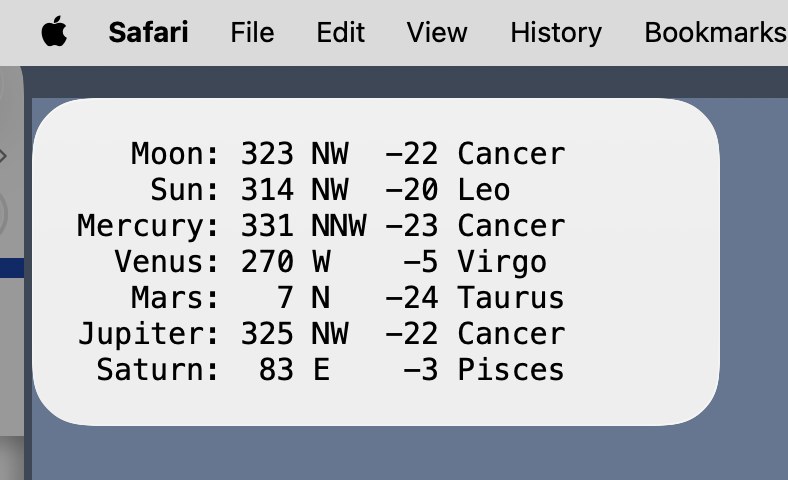
A Python script that lists the azimuth, altitude, and constellation for the Moon, Sun, Mercury, Venus, Mars, Jupiter, and Saturn. Example:
    Moon: 113 ESE  37 Leo
     Sun: 120 ESE  49 Leo
 Mercury: 133 SE   61 Cancer
   Venus: 101 E     6 Virgo
    Mars: 221 SW   68 Gemini
 Jupiter: 130 SE   58 Cancer
  Saturn: 274 W     0 Pisces
The latitude and longitude of the location from which you’ll be viewing. These are entered in the script as the loc variable.
A TerminalWidget widget named planets.
Some means of running the script on a schedule, so your widget will be updated reasonably often. I used launchd to run the script every half-hour.
Script (planets.py)
#!/usr/bin/env python3importastropy.unitsasufromastropy.timeimportTimefromastropy.coordinatesimportget_body,AltAz,EarthLocationfromsubprocessimportrundefdirection(az):'Return a string indication of the azimuth (given in degrees).'dirs='N NNE NE ENE E ESE SE SSE S SSW SW WSW W WNW NW NNW'.split()i=int(((az+11.25)%360)/22.5)returndirs[i]# Current time in UTC.ut=Time.now()# Observation location.# This is currently set to the Visitor Center at the Morton Arboretum in# Lisle, Illinois, which is probably not where you'll be viewing the sky.# Change the latitude and longitude to your viewing location. The values# must be in decimal degrees followed by `*.u.deg`. The height parameter# is optional.loc=EarthLocation(lat=41.81433*u.deg,lon=-88.07093*u.deg,height=208*u.m)# Bodies of interest.planets='Moon Sun Mercury Venus Mars Jupiter Saturn'.split()# Current positions of all the bodies.pos={}const={}forpinplanets:pos[p]=get_body(p,ut).transform_to(AltAz(obstime=ut,location=loc))const[p]=pos[p].get_constellation()# Assemble the results.output=[]forpinplanets:output.append(f'{p:>8s}: {pos[p].az.value:3.0f}\{direction(pos[p].az.value):3s}{pos[p].alt.value:3.0f}{const[p]}')# Pipe the results through TerminalWidget. The widget that gets the results# must be named "planets." You can change the colors and font, but make# sure the font you choose is monospaced.tw='/Applications/TerminalWidget.app/Contents/MacOS/TerminalWidget\ --target planets --font Menlo --bg eeeeee --fg 000000 --text -'.split()run(tw,input='\n'.join(output).encode())# To send the output to a terminal instead of TerminalWidget, comment the# three lines above and uncomment the line below. This may aid in debugging.# print('\n'.join(output))