
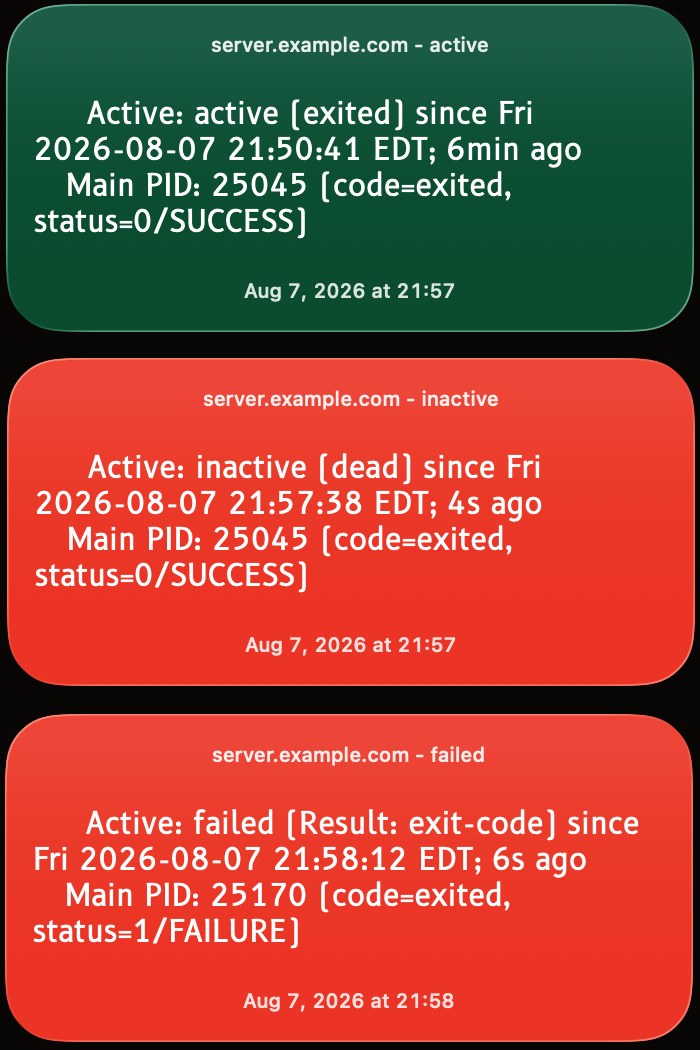
This is a one-liner shell script which checks whether nftables (Debian Linux firewall) is active, inactive, or has failed.
It’s a one-liner which I created (and then updated) while exploring the capabilities of TerminalWidget.
Since I was testing capabilities, I use Keyboard Maestro with a periodic trigger to invoke the one-liner shell script at an interval. You could instead flesh out the one-liner script and use it with launchd / Launch Agent.
I found that the basic status of nftables is available to view from a non-root account on Debian Linux 13.6 Trixie.
The script checks the is-active of nftables from systemctl. Typical responses are “active” (good), “inactive” (bad), or “failed” (bad). If the response is “active” then the background color is set to green, otherwise the background color is set to red (and the word “Firewall” is spoken out loud).
The green/red colorization allows you to tell at a glance in a fraction of a second whether your nftables is nominally functioning or whether it isn’t (failure during reboot of machine, failure during start/restart of nftables, for things like bad DNS resolution in your chain, or other failure).
This gives an example of how to conditionally colorize your TerminalWidget background based on conditions.